- DATE:
- AUTHOR:
- The Inpart team
October 27, 2026 Release Digest
Delivery time: Tuesday, October 27, 2026, 7:30 a.m. - 9 a.m. CET.
Impact: During this maintenance window, Inpart Deal, the Outlook add-in, the Opportunity Portal, and the Admin Center will be briefly unavailable.

Version 4.48.0
What's new
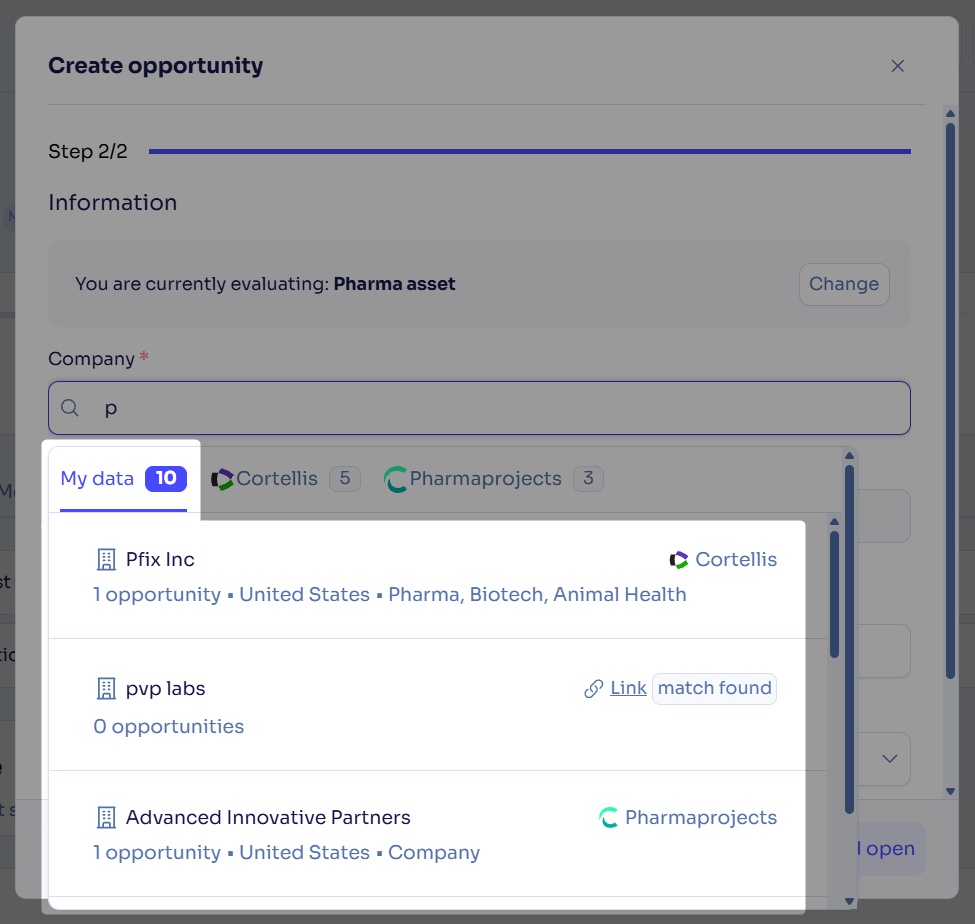
Link existing companies and assets to Cortellis when creating an opportunity
When you create an opportunity, a Cortellis or Pharmaprojects icon now shows which of your companies are already linked to a Cortellis or Pharmaprojects profile.
For those that are not linked, you can link them to their matching Cortellis profile directly. You then get Cortellis asset suggestions for your existing company, and avoid creating a duplicate company. The possibility to link companies to Pharmaprojects profiles will come later.
Outlook add-in: find records, push internal contacts and create opportunities faster
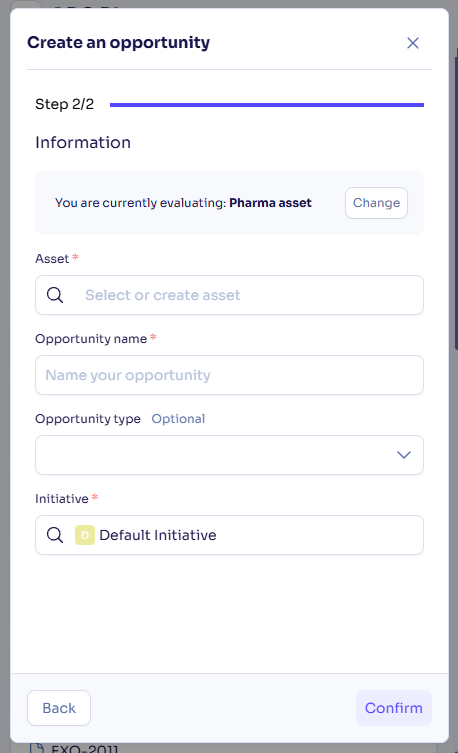
Create opportunities in fewer steps: You can now create an opportunity in one or two steps, just like you do in Deal. Choose the asset type, then enter all the opportunity details in a single form. Choose to remember your asset type to skip the first step next time.
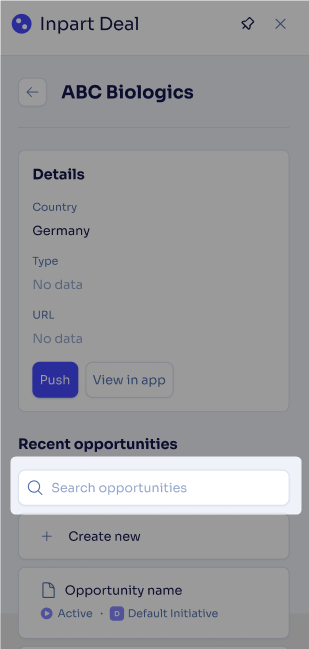
Search a company’s related records: You can now search a company's related opportunities, agreements, and alliances, so you can find the right record even when a company has many. A search field appears when a list has more than 5 entries, and it highlights matching text.
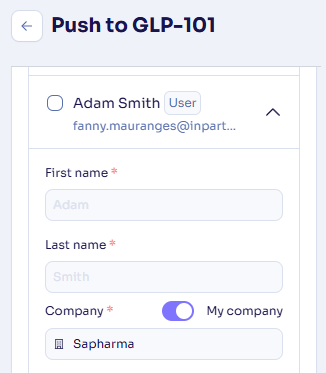
Push internal contacts: You can now create and update internal contacts when you push emails and meetings, just like external contacts. Turn on the My company toggle on a contact card to mark it as internal; it is on by default when the email domain matches yours.
Export obligation amounts with their currency to Excel
You can now export obligation amounts to Excel with their currency, so monetary values display correctly in your file. Each currency appears with its own symbol.
Upload password-protected PDF files
You can now upload password-protected PDF files, which the platform previously blocked. Anyone who downloads the file still needs its password to open it.
What's fixed
Deleted agreements and alliances are fully removed from their hubs
Deleting an agreement or an alliance now removes it entirely from its hub, where it previously remained as an inaccessible record with a Restricted tag.
Advanced Search opens the right obligation
Clicking an obligation in Advanced Search results now opens that exact obligation, where it previously opened a different one or an error page.
Reliable access to the Issue and Risk hub
You can now open the issue and risk hub from its bookmarked link or from an alliance page in Deal, which previously sometimes led to a blank page with an access error message.
Accurate contact search by email in the Assessment hub
Searching for a contact by full email address in assessments now returns only that contact, where it previously also listed every contact sharing the same email domain.
Feedback
Feedback is a gift! Let us know what you think about these new features and if you have any additional thoughts on what you'd like to see in functionality. Thank you and have a wonderful weekend!
Need help? Visit our help center.