- DATE:
- AUTHOR:
- The Inpart team
June 9, 2026 Release Digest
Delivery time: Tuesday, June 9, 2026, 7:30 a.m. - 9 a.m. CEST.
Impact: During this maintenance window, Inpart Deal, the Outlook add-in, the Opportunity Portal, and the Admin Center will be briefly unavailable.

Version 4.36.0
Having trouble viewing images? Use the link at the end of the email to open it in your browser.
What's new
Visualize your pipeline as a funnel chart
You can now switch between a list view and a funnel chart in the Opportunities pipeline section of your dashboard, giving you an instant read on how many opportunities are active or lost at each stage, the conversion rate from one stage to the next, and the average time spent in each stage. Your preferred view is saved automatically and restored on your next visit.
Control access and track visibility when creating an agreement
You can now set an agreement as public or private directly from the creation form, with access control settings automatically copied from the opportunity when applicable. A new Visibility column in the agreement hub lets you see at a glance which agreements are private and who has access.
New custom fields for more flexibility
New configurable infogroup sections are available for both opportunities and agreements, giving admins more flexibility to structure custom fields.
Obligation ID renamed to Legacy ID
The Obligation ID field has been renamed to Legacy ID across the platform for clearer terminology.
What's enhanced
[Beta] Apply multiple filters at once in the opportunity and obligation hubs
For Deal Advanced plan users with the beta mode activated
You can now select multiple filters before applying them, so your full filter combination is applied in one step. Your filter selections are also preserved as you navigate between filter categories.
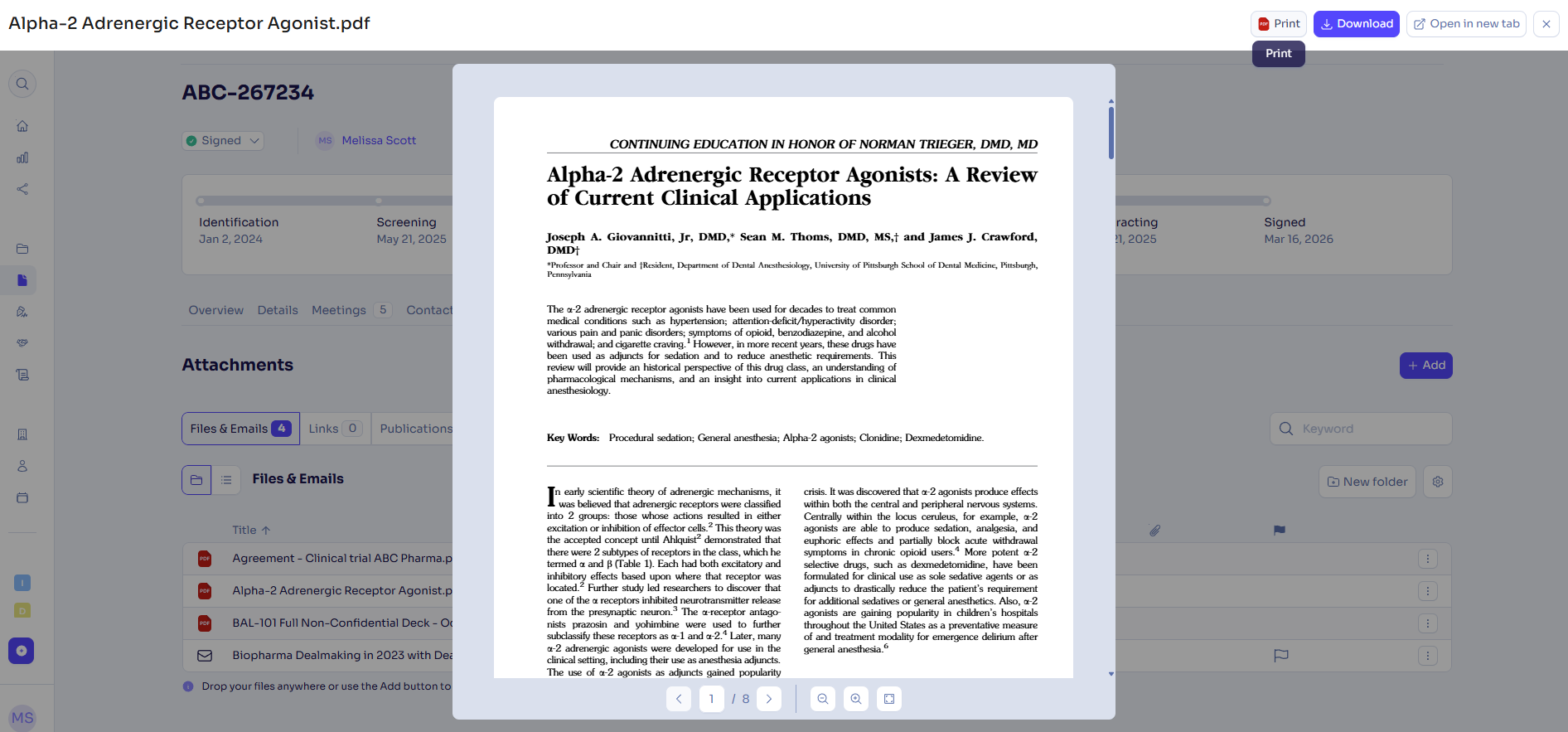
Print button for PDF previews
You can now print a PDF directly from the document preview, without downloading it first.
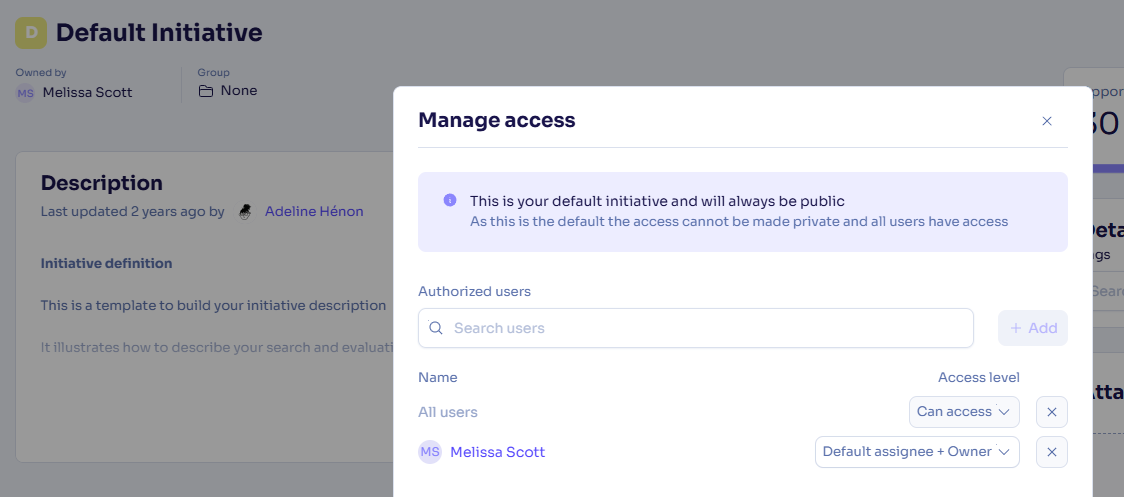
Access control information displayed on the default initiative
The default initiative now shows a clear explanation of its access control settings, including which users have access and why those settings cannot be changed.
New tenants provisioned with default templates for evaluations
New tenants are now automatically provisioned with the default templates for health checks and evaluations.
Configurable field default names no longer appear in field tooltips
The default internal name of configurable fields no longer shows up in tooltips when hovering over these fields in opportunities, alliances, agreements, and contractual clauses.
What's fixed
Company URLs are no longer lost when merging companies
All URLs from both companies are now preserved when merging two companies.
Agreements can be unlinked from opportunities again
The unlink button for agreements on the opportunity page now works correctly and no longer shows an incorrect "no access to delete" tooltip.
Internal contact details now display correctly in the side panel
The Details section of an internal contact now loads and displays correctly in the side panel, and the Update button is properly enabled.
Reopened opportunity stages now show the correct start date in Power BI
When an opportunity stage is reopened, the Power BI API now reflects the correct restart date instead of the original start date.
Agreement ID is now available in quick and advanced search
In quick search and advanced search, agreements can be searched with the Agreement ID.
Feedback
Feedback is a gift! Let us know what you think about these new features and if you have any additional thoughts on what you'd like to see in functionality. Thank you and have a wonderful weekend! 
Need help? Visit our help center.