December 9, 2025 Release Digest
Delivery time: Tuesday, December 9, 2025, 7:30 a.m. - 9 a.m. CET.
Impact: During this maintenance window, Inpart Deal, the Outlook add-in, the Opportunity Portal, and the Admin Center will be briefly unavailable.

Version 4.19.0
What's new
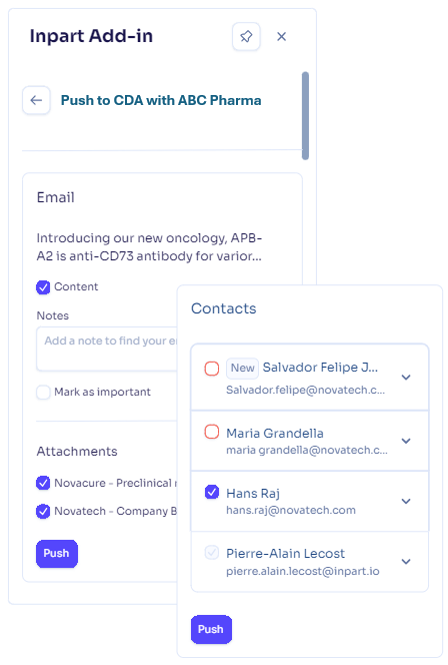
Push Outlook email and meeting contents to alliances and agreements using the Outlook add-in
Push email and meeting contents, attachments, and contacts to the right alliance or agreement just as seamlessly as you already do for opportunities and companies. You can create new agreements or alliances directly from the add-in whenever no matching record exists.
No installation is required; the Outlook add-in updates automatically.
N.B.: Pushed emails are stored in the Attachments tab for both alliances and agreements. They are already visible (list and preview) in alliances and will soon be visible in agreements too.
Manage alliance health checks with our new dedicated module
For Deal Advanced plan users with the Alliance Management add-on. Please contact your CSM at Inpart to activate this new module on your Deal space.
Introducing a Health Check module in Inpart Deal to help you systematically assess, monitor, and improve the status and performance of your alliances.
Health checks support a full lifecycle: Draft → Ongoing → Closed, letting you prepare questions, collect responses, and then close the check when complete.
You can create or reuse questionnaires, choose answer types (scale, choice, text), make surveys anonymous, configure visibility, set due dates, and invite both internal and external participants to collaborate.
During the “Ongoing” state, you can track participation progress, send reminders, view the results and spider chart, and once closed, export results or full reports.
Access rights are based on user roles: only users with a Manager role may create health checks and act as owners, while all invited participants (internal or external, user or non-user) may submit responses.
What's enhanced
Update asset statuses simultaneously when updating the opportunity status
Change an opportunity’s status and cascade updates to eligible assets while keeping existing status change reasons and parameters intact.
Please note that, after this release, all assets inside declined or closed opportunities will have their status automatically updated to declined or closed. However, you're free to revert to any other status if it's a better fit.
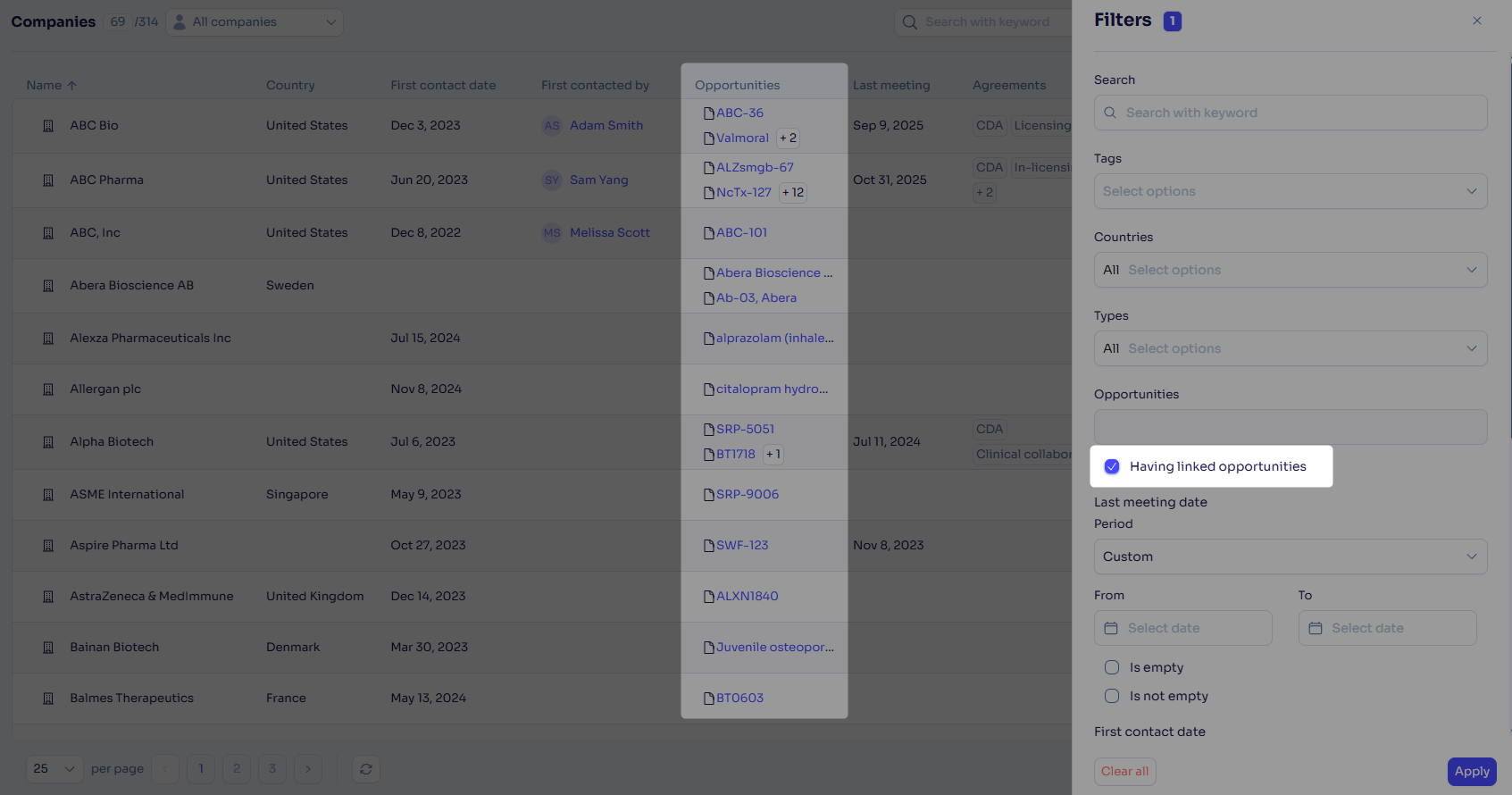
Find companies with related opportunities faster
The company hub now includes a Having linked opportunities filter that limits the view to companies with opportunities associated with them.
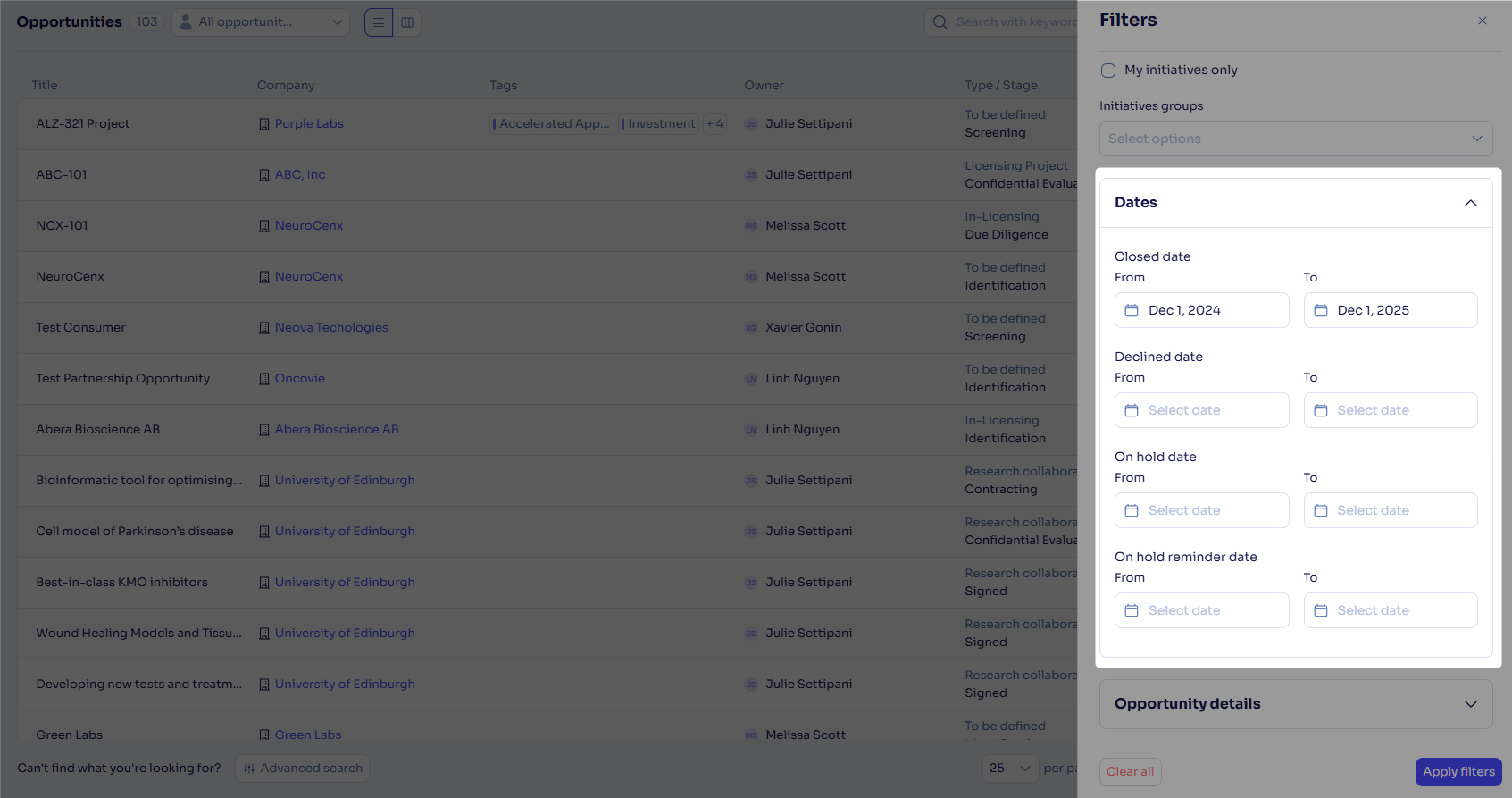
Filter opportunities by closed, declined, on-hold, and reminder dates
Sort, filter, and export these new date columns to understand how many opportunities reached key stages within any time frame.
Find the right Cortellis companies
Opportunity creation via Cortellis company profiles now features enhanced search results, helping you quickly find the correct company even within large result sets (improved exact-match ranking, prioritization of recently updated profiles, case-insensitive search, and more).
Improve your alliance reporting
We've added new columns and revised some column titles in the alliance Excel export file to give you a richer context and rely on clear data for more accurate reporting.
Find agreement and obligation ID more easily
We added Agreement ID and Obligation ID fields in the agreement and obligation pages for a more direct reach. The Agreement ID field displays the ID automatically generated by the platform when an agreement is created, whereas the Obligation ID field is chosen by the users and can be edited.

Feedback
Feedback is a gift! Let us know what you think about these new features and if you have any additional thoughts on what you'd like to see in functionality. Thank you and have a wonderful weekend! 
Need help? Visit our help center.