- DATE:
- AUTHOR:
- The Inpart team
November 24, 2026 Release Digest
Delivery time: Tuesday, November 24, 2026, 7:30 a.m. - 9 a.m. CET.
Impact: During this maintenance window, Inpart Deal, the Outlook add-in, the Opportunity Portal, and the Admin Center will be briefly unavailable.

Version 4.52.0
What's new
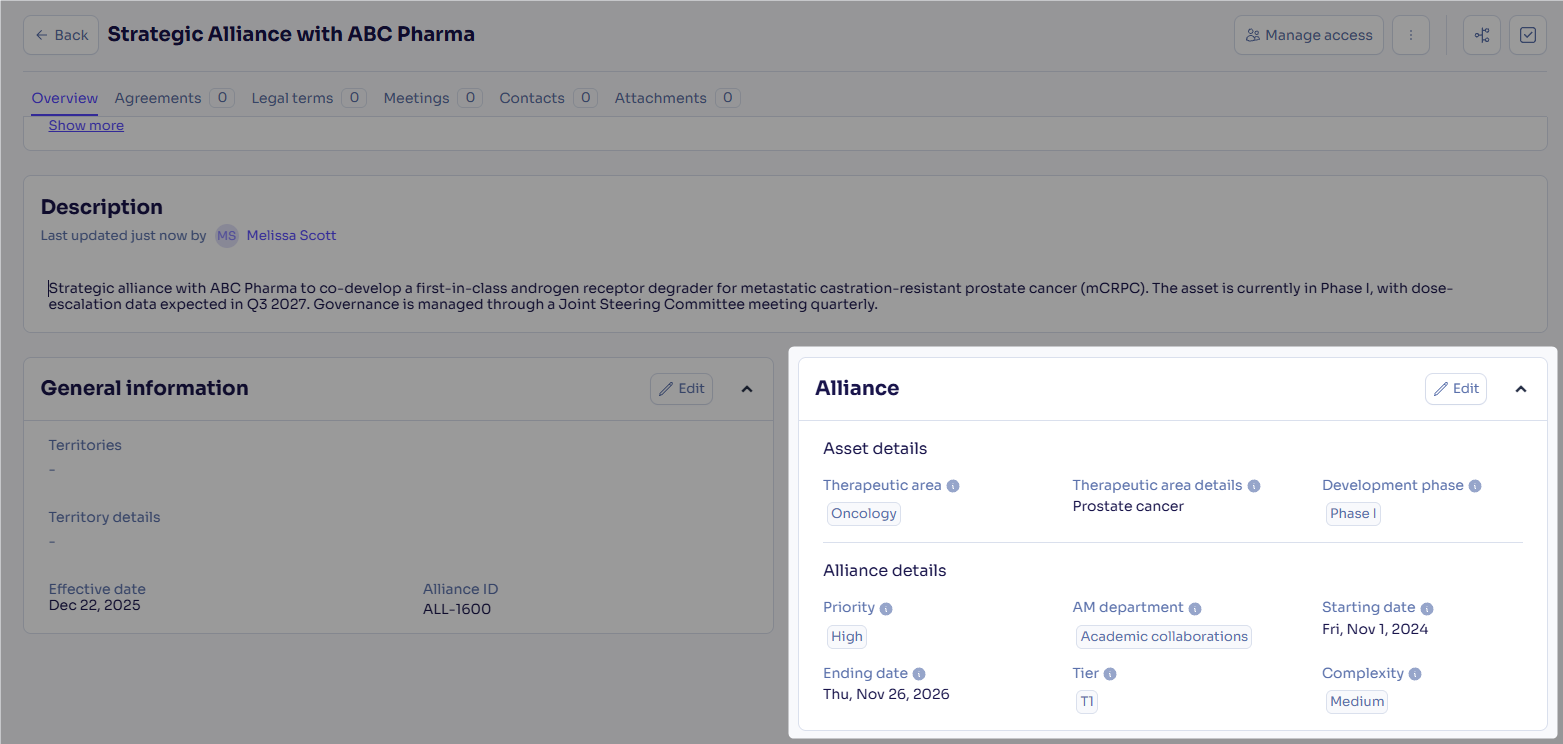
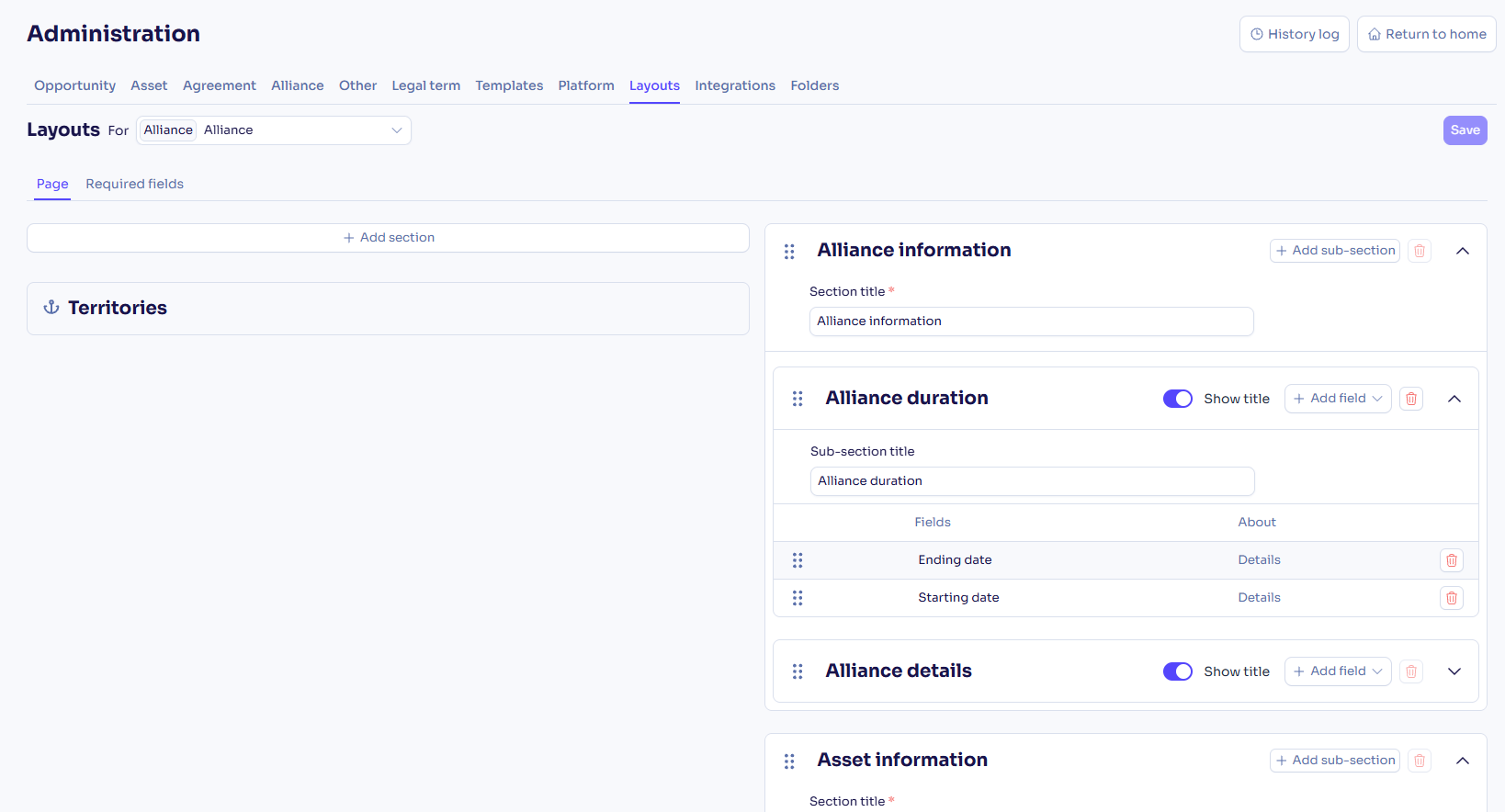
Customize your alliance pages and required fields
You can now choose which fields appear on alliance pages, organize them into sections, and make some mandatory at creation. Business admin users set this up on the Administration page.
Manage access groups from the Deal Administration page only
For users with Groups Manager rights
As part of the move from Admin Center user groups to access groups, you now manage group membership only on the Deal Administration page. The User groups tab and the group settings on each user are no longer available in the Admin Center. No manual action is required to recreate the groups in Deal, as all existing groups were previously migrated from the Admin Center to the Deal Administration page.
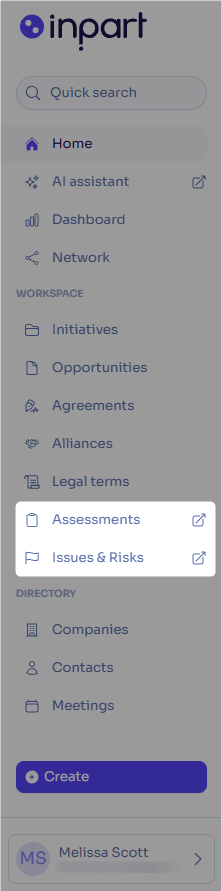
Open the Assessment and Issue & Risk hubs from the main Deal menu
You can now open the Assessment and Issue & Risk hubs directly from the Deal main menu. Each shortcut only appears when the product is enabled for your organization.
Learn more about accessing assessments, issues, and risks
Manage assessment participants in a new dedicated tab
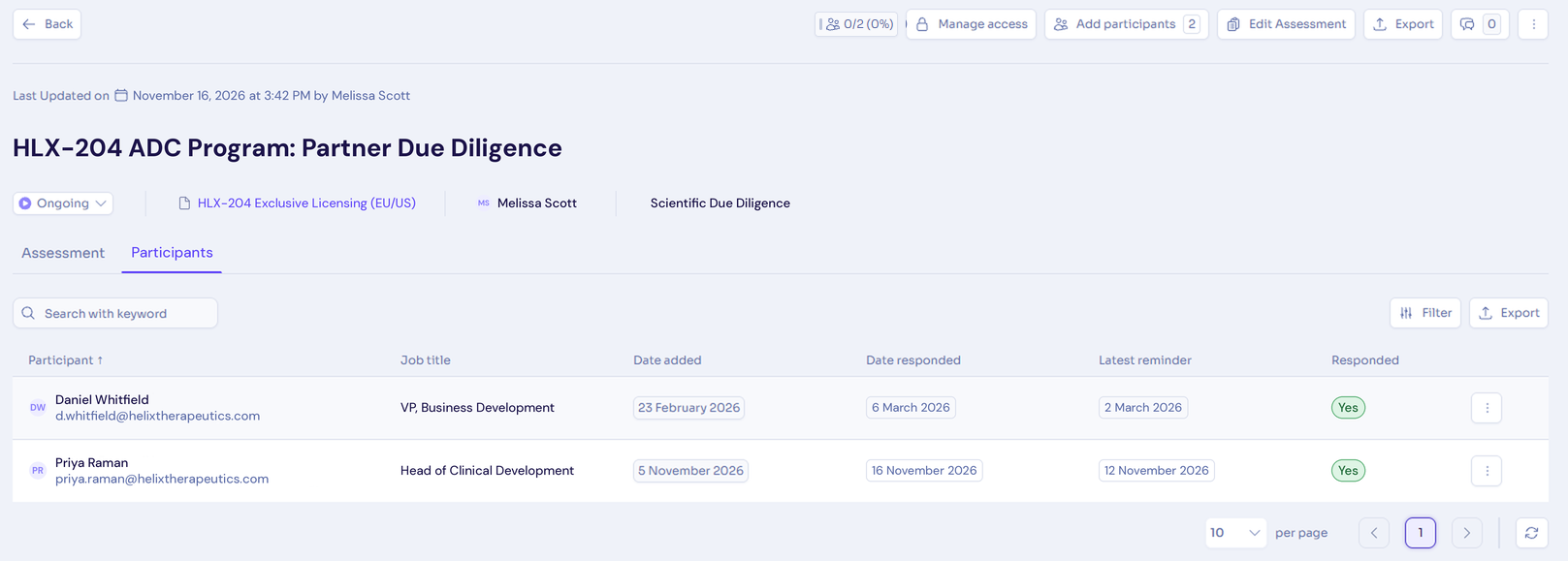
You can now see all assessment participants in the new Participants tab, with their response status, response date, and latest reminder. You can also search for participants, remove them, and export participant information.
Share opportunity, agreement, or alliance information with assessment participants
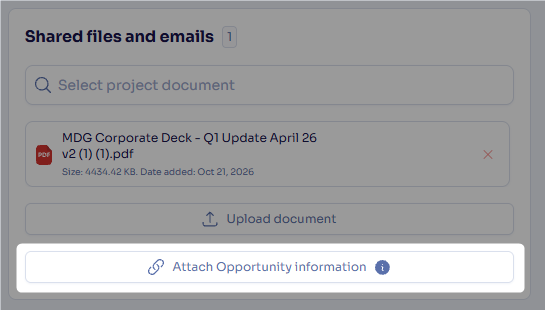
You can now generate a one-pager document describing the opportunity, alliance, or agreement from an assessment and share it automatically with the assessment participants, so they have the context they need to answer.
What's enhanced
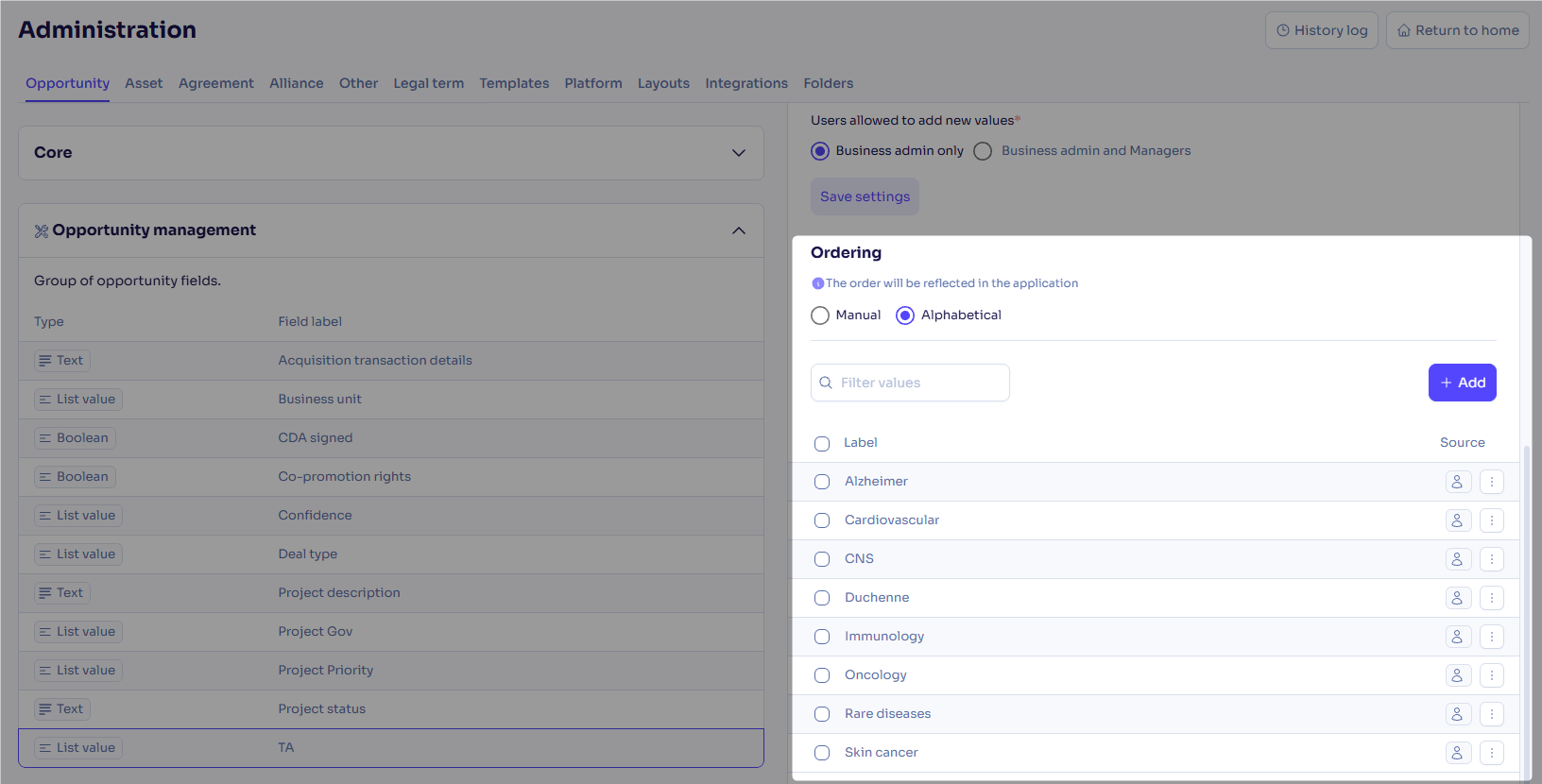
Sort list values alphabetically or manually
For users with Business Admin rights
You can now order list values alphabetically or by drag and drop on the Administration page, so users can find values quicker in drop-down lists. Tag lists keep the manual order.
Save changes more efficiently in field layout settings in Administration
For users with Business Admin rights
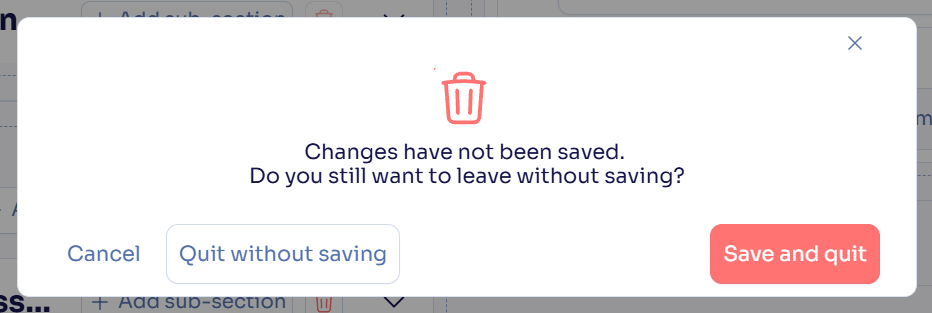
You now get a warning before leaving the Layouts tab for another tab on the Administration page with unsaved changes.
Creation and general information windows stay open on outside click
Windows for creating a record or editing its general information with the Edit button now stay open when you click outside them, so you no longer lose your input by accident. Close them with Cancel or the close icon. Fields edited directly on the record page are not affected.
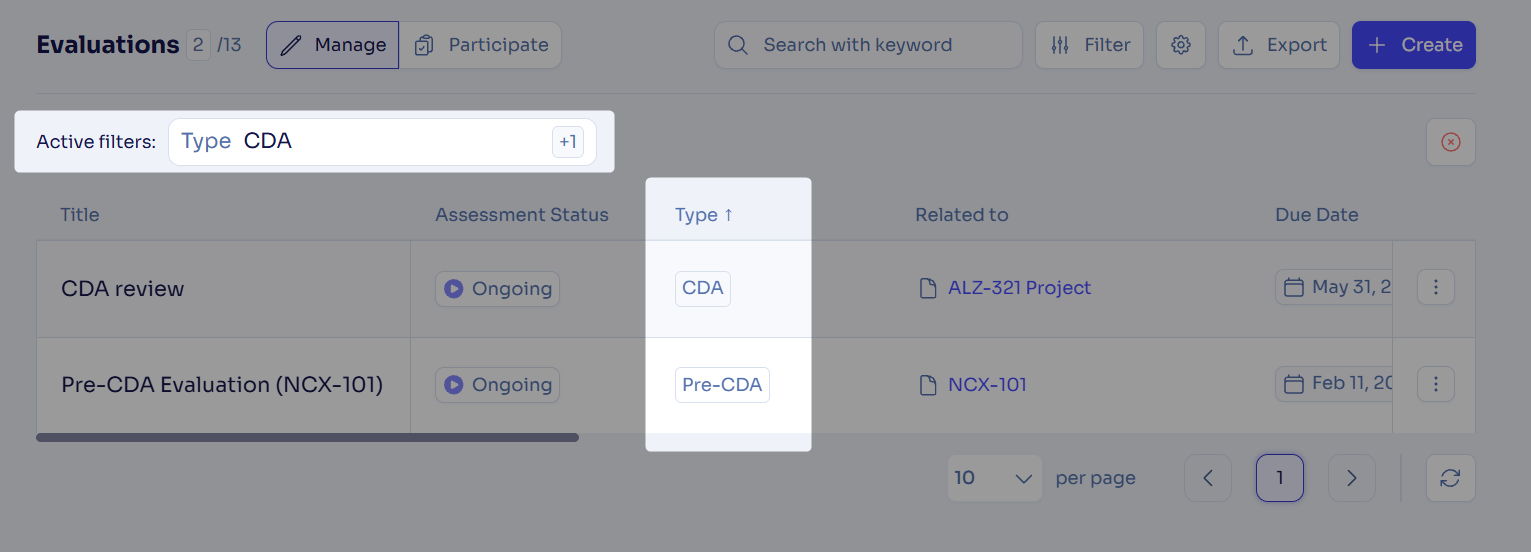
Filter evaluations by type
You can now filter the evaluation hub by one or more evaluation types and sort the Type column alphabetically.
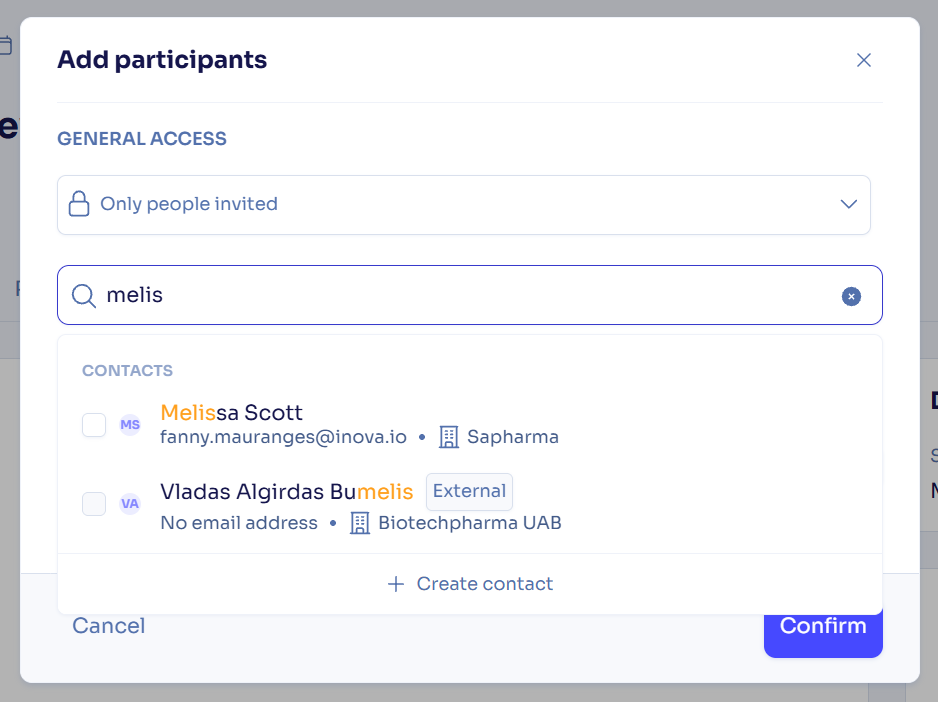
Only invitable users shown when adding participants to assessments
The Add participants search now shows only users with a Manager or Contributor role in the Deal, so you can't select someone you can't invite. You can still invite users without a Deal role through Copy link.
What's fixed
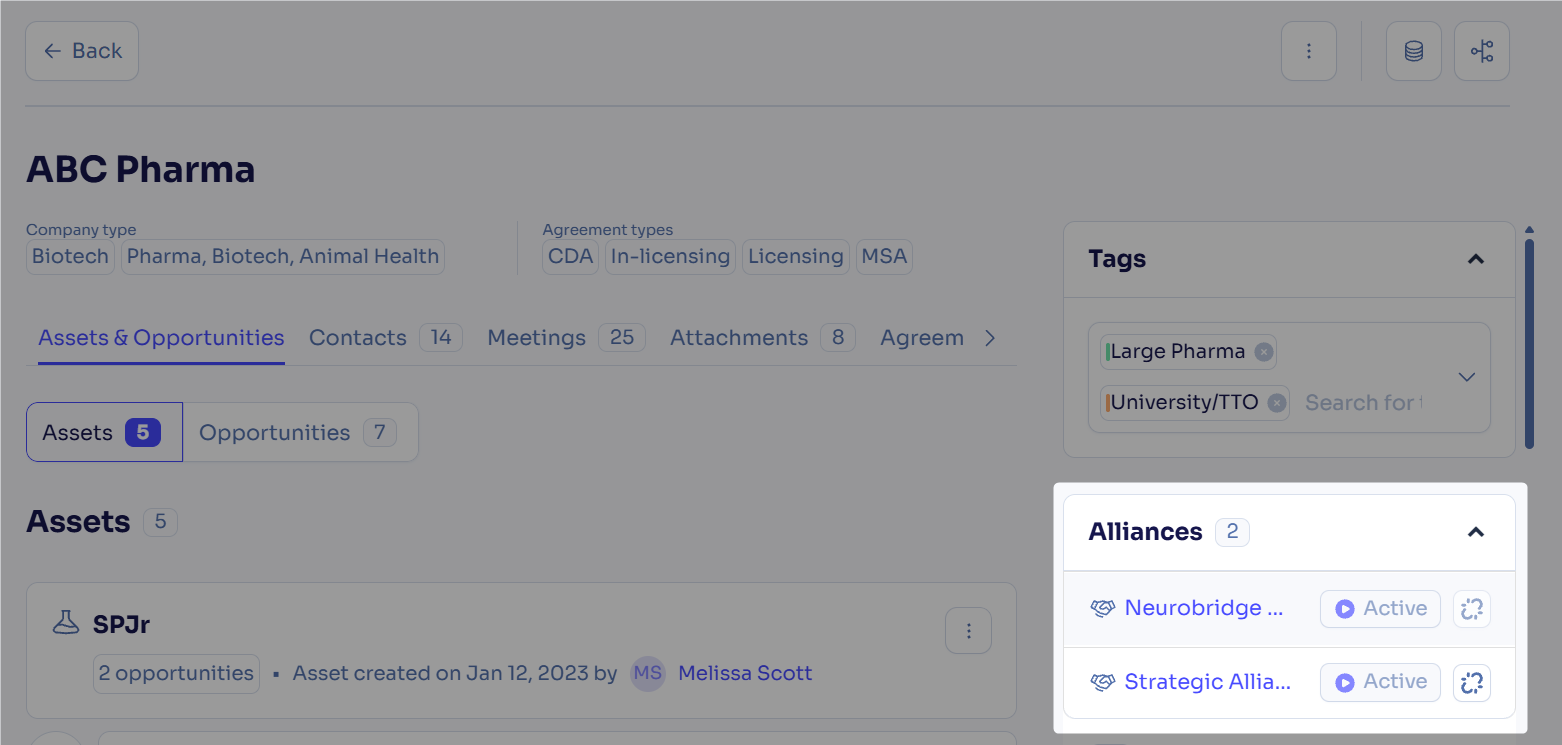
Alliances displayed correctly on the company side window
Manager users now see the public alliances linked to a company in the Alliances tab of its side window, which previously showed no alliances or those related to another company.
Obligation type shown correctly in Excel exports
Obligation Excel exports now show the obligation type name in a Type column with both the visible columns and all columns options, where it previously appeared as a code or was missing.
Outlook add-in:
Emails and meetings with internal contacts pushed reliably
You can now push emails and meetings with internal attendees to Deal from the Outlook add-in, which previously sometimes failed without any message, especially with many internal contacts.Company creation available from the Outlook add-in
Clicking Create company in the Outlook add-in now creates the company and opens its page, which previously did nothing when the company was not in Deal or in third-party sources.
Feedback
Feedback is a gift! Let us know what you think about these new features and if you have any additional thoughts on what you'd like to see in functionality. Thank you and have a wonderful weekend!
Need help? Visit our help center.